Review the wedding. Choose the keepers. Keep your editing workflow.
FastLoupe is for photographers who want to make their own selections. Catalogue the shoot locally, review the alternatives and keep your usual finishing software. There is a preparation step before the fast browsing begins.
On Mac, download free and start the optional trial in the app. See what stays free and what the unlock buys.
1. Prepare the shoot without moving it
Start with a backed-up shoot in folders. Catalogue those folders in place: FastLoupe creates its own index and previews without moving or renaming the originals. Give that preparation time to finish. File types, storage and available previews affect the wait; there is no promised wedding-completion time here.
2. Review in passes you control
First mark obvious misses as rejects without deleting files. Then review the remaining frames in the loupe, compare alternatives side by side and assign ratings or pick flags. Filter your keeper set for a final consistency pass. FastLoupe does not pick the best smile or score blinking and focus for you.
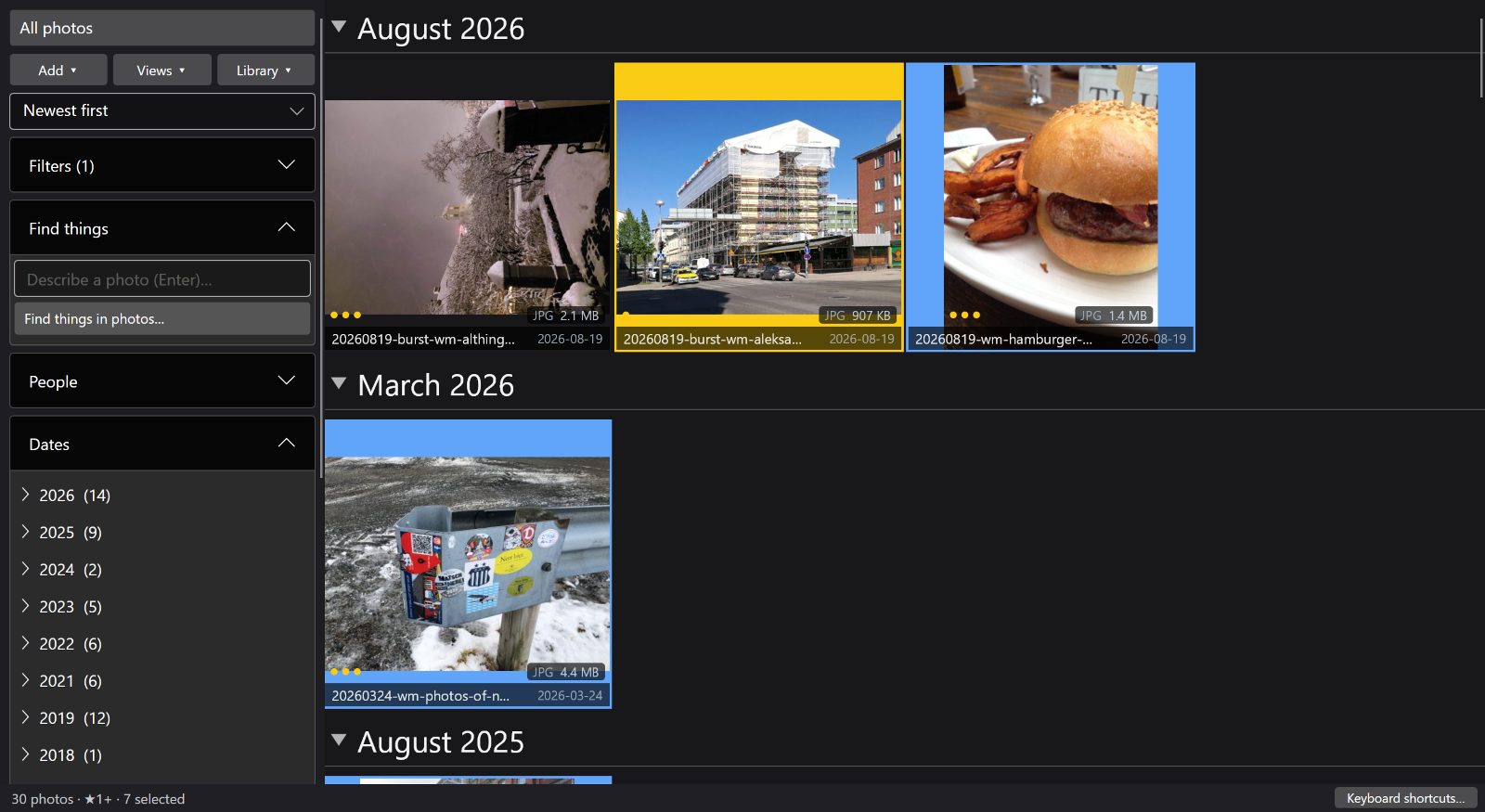
3. Check the handoff before the deadline
FastLoupe stores triage decisions in its own catalogue. To pass supported metadata to another tool, explicitly write XMP sidecars; this is a file-writing operation, not an automatic sync. Alternatively, review the export options for delivery copies. Do not assume a preview export is the same as copying original RAW files and their sidecars.
Before using this on a paid job, try a small copy of a shoot and check the receiving editor. Confirm the stars, colour-label names and file selection yourself. Keep your originals and an independent backup until the handoff is verified.
In Lightroom, verify ratings and matching colour-label names. Pick flags, custom label conventions and Develop history are not promised to round-trip. On Mac, XMP writing, export and card import require the trial or permanent unlock; browsing and rating remain free.
A fit for manual review, not automatic selection
A good fit if you want to choose each keeper and retain your finishing tools. Not a fit if the buying requirement is automatic best-shot selection, blink/focus scoring, client galleries, camera control or a complete replacement for a RAW-development suite.
AI-assisted alternatives are worth testing if automated assessment is the missing step. Aftershoot advertises offline culling; Narrative offers assisted review. Local processing is not exclusive to FastLoupe, and this page makes no claim that studios have adopted a combined workflow.
Questions before you start
What remains free on Mac? Folder cataloguing, browsing, search, comparison and rating. Start the optional 30-day trial for file-changing tools, then buy the one-time unlock if you need them.
Does one purchase cover Windows and Mac? No. The stores sell separate licences. Starting a trial does not reserve a launch discount.
FastLoupe uploads no photos or catalogue data to Oddbrd and requires no FastLoupe account. Optional backup sends copies only to storage you configure. Store accounts and checkout are managed by Microsoft or Apple. See the privacy policy.
Sources and review date
Written by Oddbrd Oy, the developer of FastLoupe. Reviewed . Compare a representative shoot before changing your workflow; this page is not an independent benchmark.
Adobe: metadata and XMP · Aftershoot: local AI culling · Narrative: current plans and assessments
Try the workflow with a small test set
Windows offers a 30-day trial. On Mac, browsing, search, comparison and rating stay free; start the optional 30-day trial for file-changing tools, then buy the permanent unlock if needed. Windows and Mac purchases are separate. Optional Azure backup and storage are separate.
On Mac, download free and start the optional trial in the app. See what stays free and what the unlock buys.
Worldwide launch offer through 11 October 2026. Finland reference prices: Windows app or Mac permanent unlock €14.99; €24.99 from 12 October. Mac download and browsing tier are free. Local Store prices and availability apply.
Starting a trial does not reserve the launch price. Store account and checkout requirements apply.