Photo catalog for Windows and Mac · Available now
Find and cull photos in the library you already have.
Browse, compare and organise a large photo library on your computer. Catalogue existing folders in place, or bring across Lightroom Classic ratings, flags, keywords and collections. Your originals stay where they are; FastLoupe never writes to your .lrcat.
Mac downloads are free. Browsing and rating stay free; start the optional 30-day trial in the app for file-changing tools.
Worldwide launch offer through · Finland price €14.99, normally €24.99 · local Store prices and availability apply
No FastLoupe account · No photo uploads to Oddbrd · Built in Finland by Oddbrd Oy · Email support
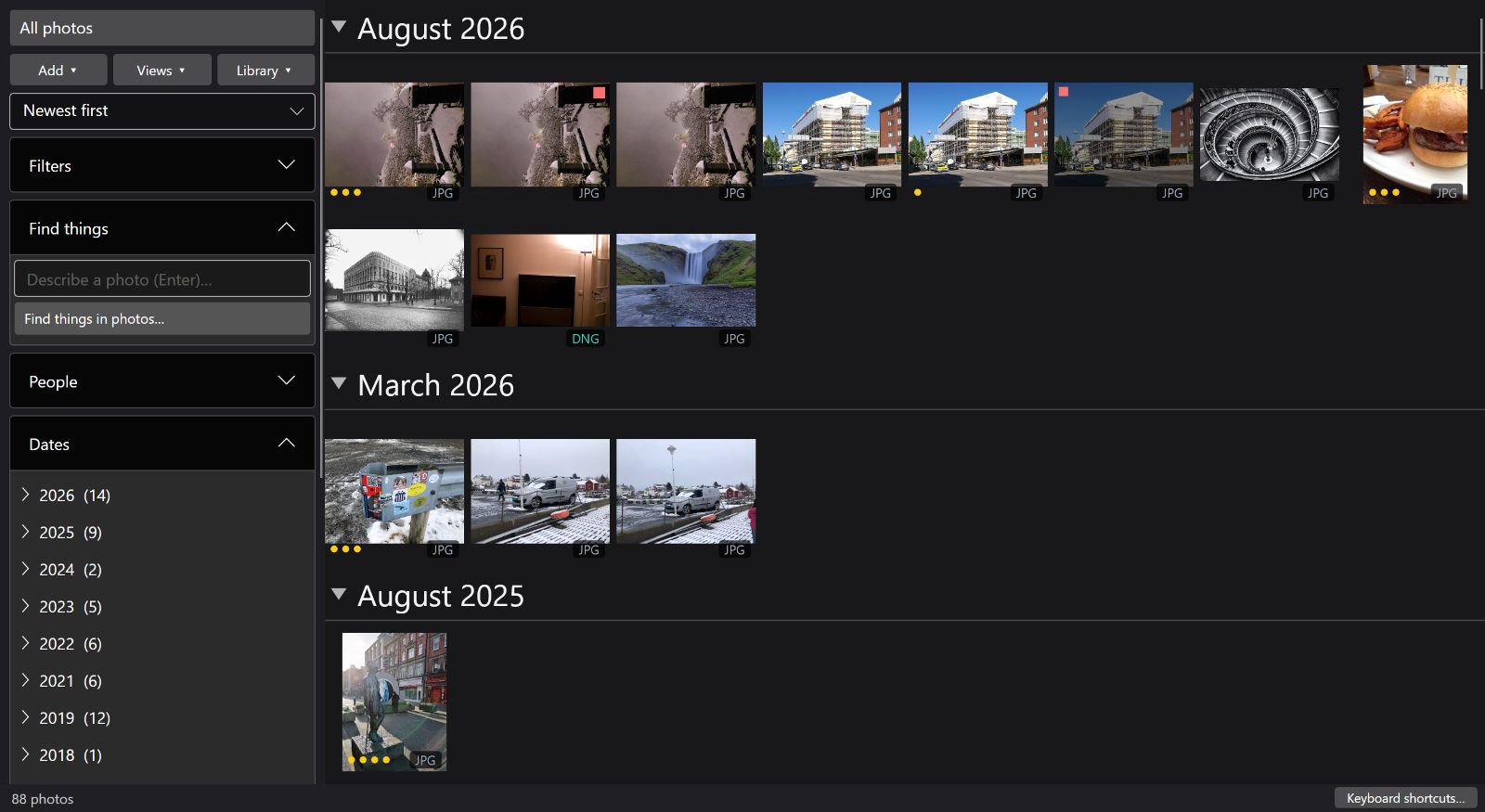
Find the shoot. Review the frames. Choose the keepers.
Start with a prepared catalogue. These real Windows captures show the browsing and selection tools, not an end-to-end timing claim.
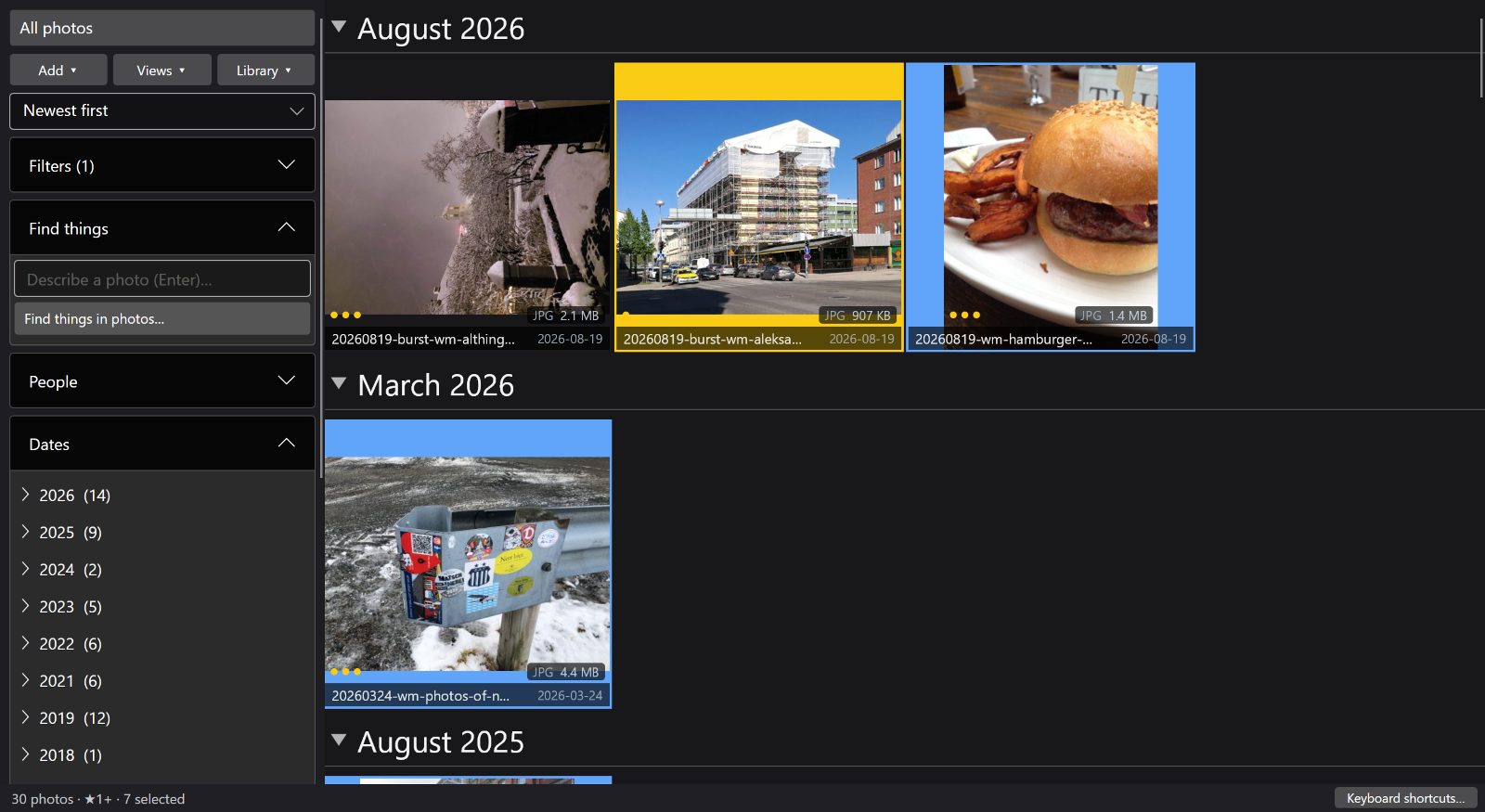
Find a shoot
Narrow the library by date, folder, keyword or camera.
Review the alternatives
Open a frame in the loupe or compare candidates side by side. You make the decision; there are no automatic best-shot picks.
Keep your selections
Add ratings or pick/reject flags, then filter the keeper set. Writing XMP or exporting files is a separate, explicit action.
Three outcomes, one local catalog
Keep what you built. Find what matters. Fix what drifted.
Keep your library
Catalogue folders in place or seed a separate FastLoupe catalogue from Lightroom Classic. Your existing files stay where they are.
Find and review locally
Search, filter, compare and cull on your computer. Prepared grid previews come from the local cache; full-resolution review may read originals. Oddbrd receives none of your photos.
Clean up safely
Find exact and near duplicates, explain missing files and reconnect moved drives. Nothing is deleted or relinked without your review.
Two ways in. Your existing library stays yours.
Catalogue existing folders
Choose folders to index in place. FastLoupe builds its own catalogue and previews; it does not move, rename or copy your originals. Allow time for this preparation, particularly with a large or HEIC-heavy library.
Bring across Lightroom Classic metadata
Read a .lrcat once to seed a separate FastLoupe catalogue with supported ratings, flags, colour labels, keywords and collections. FastLoupe never writes to the .lrcat. This is not ongoing two-way sync and does not transfer editable Develop history.
A clear first-run step
Lightroom may need closing while the catalogue is read. Follow the lock and preview prompts; a safe-copy option appears only when FastLoupe's checks allow it. Existing previews may be reused, but their availability affects preparation time.
Price
Buy it once.
€14.99 €24.99
WORLDWIDE LAUNCH OFFER · THROUGH · PRICES SHOWN FOR FINLAND
Available now for Windows from Microsoft Store and for Mac from the Mac App Store. Start with the full 30-day trial on either. Each store shows your local price and offer, which may vary.
- Windows and Mac purchases are separate; one Store licence does not unlock the other.
- No subscription. Optional Azure Blob backup costs €3.99 on Windows or €4.99 on Mac in Finland; storage is supplied and paid for separately.
- Microsoft Store and the Mac App Store manage accounts, checkout and local pricing.
| Platform | Start here | After 30 days |
|---|---|---|
| Windows | Try the Windows app free for 30 days through Microsoft Store. | Buy the Windows app once to continue using it. |
| Mac | Download free. Start the optional 30-day trial inside the app. | Keep cataloguing folders, browsing, searching, comparing and rating for free. The one-time unlock keeps card import, export, editing, rotation, reorganisation, disk deletion and XMP writing available. |
Measured, not promised
Speed is the whole product.
- Catalog size
- 127,954 photos
- A dense screenful
- 4.1 ms
- Fling decode
- 912 /sec
- Refilter the library
- 0.3 sec
The library these numbers were measured against — not a demo set.
322 thumbnails on screen at the tightest zoom, redrawn. Five times the density costs a little over twice the drawing, so packing more photos into the window stops being a trade against smoothness.
Thumbnails decoded from the packed cache and evicted per second while flinging — the scroll-time rate, not a one-off build.
Cut 127,954 photos down to one camera — 29,500 of them — and the grid rebuilds from the index, never from your disk. A flag or a colour label is instant.
These August 2026 figures describe cached browsing, not startup, initial import or the time a photographer needs to finish a cull.
Measured on the development machine against the catalog above, in a 2560×1400 window.
While flinging past 23,000 photos, 95 % of frames arrived inside 5.1 ms — under a third of
what a 60 Hz display allows. Your numbers depend on your disk and GPU. Nothing here is an
average of a benchmark suite — it is the app, running on a real library.
Why it's fast
Prepare once. Browse from a local cache.
FastLoupe builds its own index and thumbnail cache. Initial cataloguing takes time and may read the originals. Once previews are ready, grid browsing uses the cache instead of decoding each original again.
An indexed catalog
Every filter, date bucket and search runs against a local SQLite index with full-text search. No scanning folders, no waiting on a server.
A packed thumbnail cache
Previews live in packed local files, rather than a separate thumbnail file for every photo. Full-resolution review and export can still read the originals.
Non-destructive by default
Ratings, flags, rotation and adjustments are stored in the catalogue. Browsing does not change your originals; file-changing operations such as XMP writing, export and deletion are separate actions.
When things move
Photos get moved. FastLoupe keeps up.
A drive may be unplugged, a folder moved or an original replaced. Library health helps you identify the problem and review a repair.
Browse with the drive unplugged
Thumbnails live in FastLoupe's own cache, so you can scroll, search, rate and plan a shoot with the external disk sitting in a drawer. It tells you plainly which drive is missing rather than pretending the photos are gone.
Reconnect a whole drive at once
Moved the library, or the drive letter changed? Show FastLoupe where it lives now and every photo on it is found again in one step — verified against the disk before anything is written, so a wrong guess can't make things worse.
Find a single photo again
Renamed, filed somewhere else, or replaced by a smaller re-export? FastLoupe recognises it by content and shows you the two pictures side by side. Nothing is re-linked until you say so.
Beyond the window: the portable copy, offsite backup and the command line →
Scope
What it is, and what it isn't.
FastLoupe is built for the part of the job that happens most often: getting photos in, finding the good ones, and getting them out. It is not a retouching suite, and pretending otherwise would waste your money.
Built for this
- Browsing and searching very large libraries — by date range, album, keyword, camera, lens or ISO — with the grid breaking itself into months as you scroll
- Cataloguing folders you already have, in place — nothing copied, moved or renamed
- Culling: star ratings, picks and rejects, colour labels, side-by-side compare, full-screen review
- Clearing out duplicates: identical files by checksum, and near-identical frames by appearance once the fingerprint pass has run — every group goes to compare first, so nothing is thrown away on the app's say-so
- Importing from a card into dated folders, verified bit-for-bit, with an optional second backup copy
- Everyday adjustments — exposure, white balance, tone curve, colour grading, crop and straighten
- Video alongside stills: plays in place, with duration and poster frames in the grid
- Putting a pin on photos the camera never located, and offering the same spot to everything shot within the hour — stored in FastLoupe's catalog, not written into your files
- Setting photos aside so they stay out of the library until you ask for them back
- Keeping track of photos that move, get renamed, or sit on a drive that isn't plugged in
- Rebuilding thumbnails or taking in new files while you carry on working — close the window and the pass keeps going, then names any file it couldn't read and why
- Exporting at preset sizes, with raws rendered from the decoded sensor image rather than the camera's embedded preview; or copying originals straight out to Explorer or Finder
- Keeping a complete, portable copy of the library on an external drive — photos, catalogue and previews together, so the drive opens on Windows or on a Mac by double-clicking a file on it
- Offsite backup of your originals to cloud storage you own and pay for yourself, with a review before anything at the far end is deleted — a paid add-on, with a free trial
- Running the same passes from a scheduled task with no window — back up, check, import, maintain, update the portable copy — with exit codes a monitoring rule can act on
Not built for this
- Layer-based retouching, healing and compositing — keep Photoshop or Affinity for that. FastLoupe hands a photo across to it and picks the result back up
- Cloud sync of your library to our servers; there are no servers, by design
- Controlling your camera — no USB tethering, no live view, no remote shutter. Tethered shooting still reaches FastLoupe the other way round: your camera's own tether tool, or camera FTP, writes into a folder, and FastLoupe watches that folder and puts the review on each shot as it lands
- Print layout
- Being the last word in raw conversion — it handles everyday adjustments, not pixel-peeping profiles
Want the detail? Every feature, shown with screenshots and clips from the real app →
Before you start
Will my trial reserve the launch price?
No. The worldwide launch offer runs through 11 October 2026. Starting a trial does not reserve it: your Store’s local price at purchase applies. A trial can finish after the offer ends.
Are my photos uploaded?
FastLoupe sends no photos or catalogue data to Oddbrd. Core browsing works offline. Optional backup sends copies only to storage you configure. The Mac App Store privacy label includes data that optional map, model-download and storage providers may retain; it does not mean Oddbrd receives telemetry. Read the privacy-label explanation and network details.
Can I keep my editor?
Yes. Keep Lightroom Classic or another editor for finishing work. Test a small XMP or export handoff first: rating and colour-label interpretation can differ, and not every flag or edit round-trips.